After creating a stream, you can change its parameters in the Basic Settings section (left menu, under your stream's name). Here you set the name, language, cover, broadcast modes, and audio.
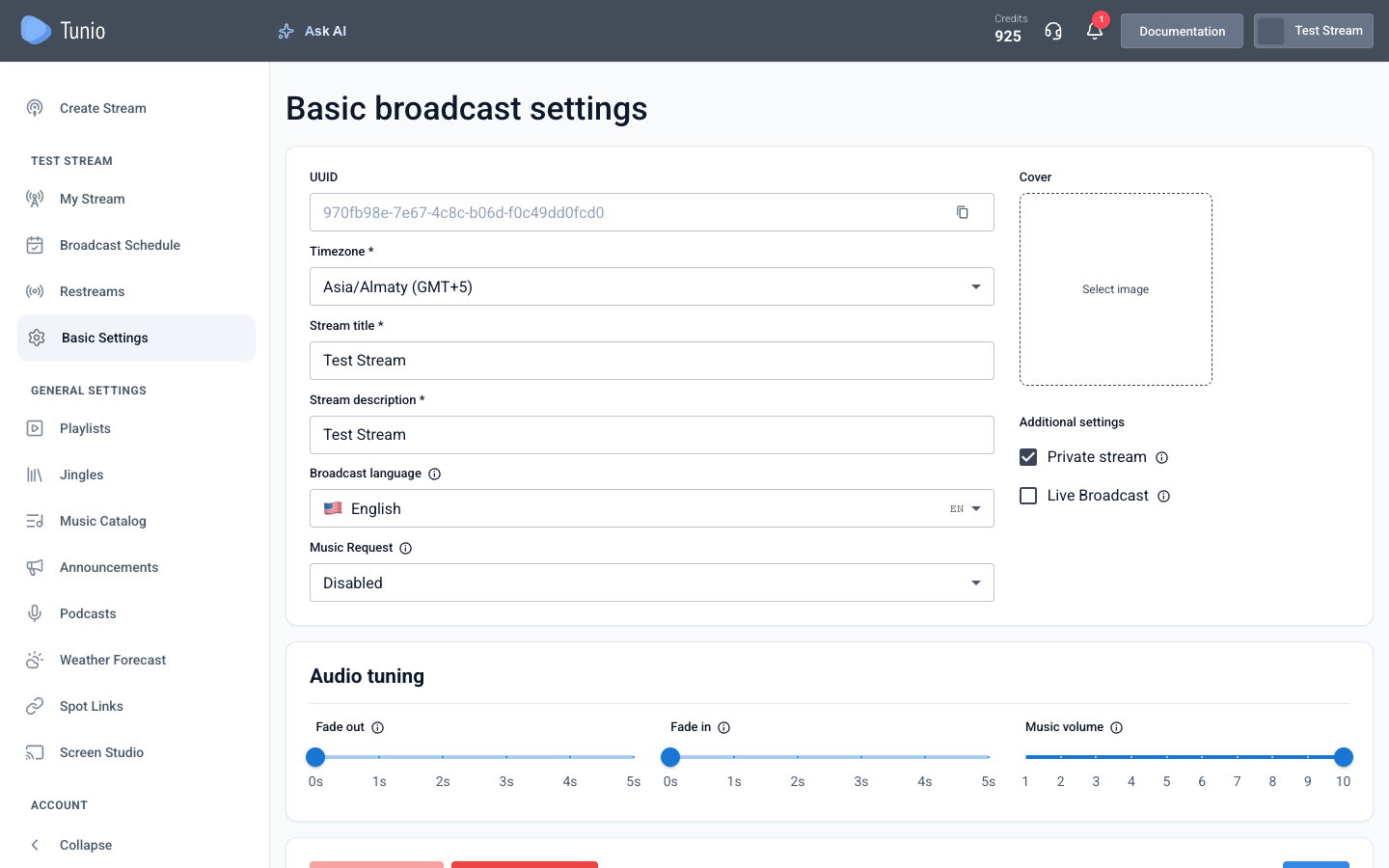
Main parameters
- Time zone — the schedule is synced by it across all locations in the network.
- Stream name and description — shown in the dashboard and the public catalog.
- Broadcast language — the main language of your air.
- Cover — the stream's picture.
- Music order — lets listeners request music via the stream's personal page or an embeddable widget. You can limit requests to the air genres or allow all genres.
Additional settings
- Private stream — the stream is available only to you and your users; it's not in the public catalog.
- Live broadcast — a broadcast mode via OBS or other software over RTMP: stream your own audio or program into the stream.
Audio tuning
The Audio tuning block controls how the air sounds:

- Fade out and Fade in — crossfade parameters in seconds for smooth transitions between tracks. Applied to music and jingles.
- Music volume — the level of background music and jingles relative to ads, weather forecasts, and podcasts. Lower it so voice inserts stand out more against the music.
Advanced audio tuning (crossfade and separating music volume from announcements) is available on a higher plan. More in «Billing and credits».
For settings changes to take effect, restart the broadcast — after saving, stop and start the stream again.
Open stream settings