Tunio has two related but different things: a plan (it determines how many streams and locations you get) and credits (spent on content generation). The section is in the left menu — Billing.
Credits
Credits are spent when the platform generates something for you: announcements, podcasts, weather forecasts, and other interactive content. Regular catalog music and your uploaded tracks don't spend credits — only AI generation does.
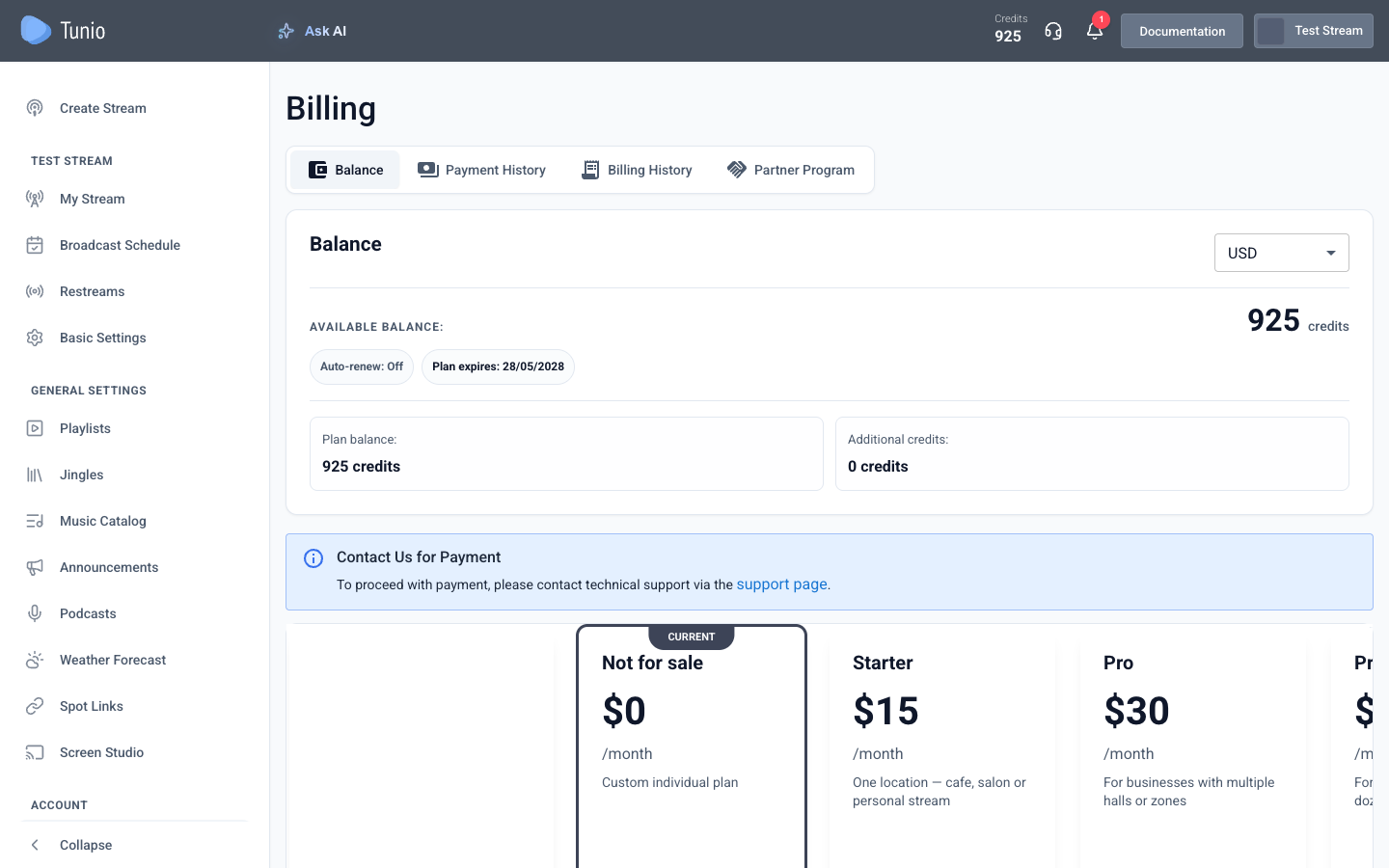
On the Balance tab you can see:
- Available balance — how many credits you have right now (also shown in the dashboard header).
- Plan balance — credits granted by your plan (refreshed on renewal).
- Additional credits — bought separately as packages on top of the plan.
The generation cost depends on the volume: for example, when creating an announcement, the required number of credits is shown in the form before you start. Plan your balance ahead so the schedule isn't interrupted by a shortage of credits.
Plans
The plan defines the scale: how many streams and locations you get and which features are included (for example, uploading your own music — on the «Pro» plan and above). On the Balance tab, plans are shown as cards with a price and a short description — the current one is marked Current. To switch plans, click the button on the card you need.
Payment
Depending on your region, payment is set up either via a payment method (a card, with auto-renew to keep the air running) or by contacting support — the Balance tab shows the available option. The history of charges and payments is on the Payment History and Billing History tabs.
Credit packages
If the plan's credits aren't enough, buy more as separate credit packages — each with its own amount and validity period. Purchased credits go into "Additional credits" and are spent together with the plan ones.
Go to billing