When you create a playlist, Tunio asks for a playlist type — it determines how the music is gathered. There are two types: dynamic and static. Understanding the difference is the key to a comfortable air.
Dynamic playlist
It's a set of filters by which the system picks music itself — from the Tunio catalog or your uploads. You don't list tracks manually — you set the rules, and the algorithm gathers fresh tracks for them each time.
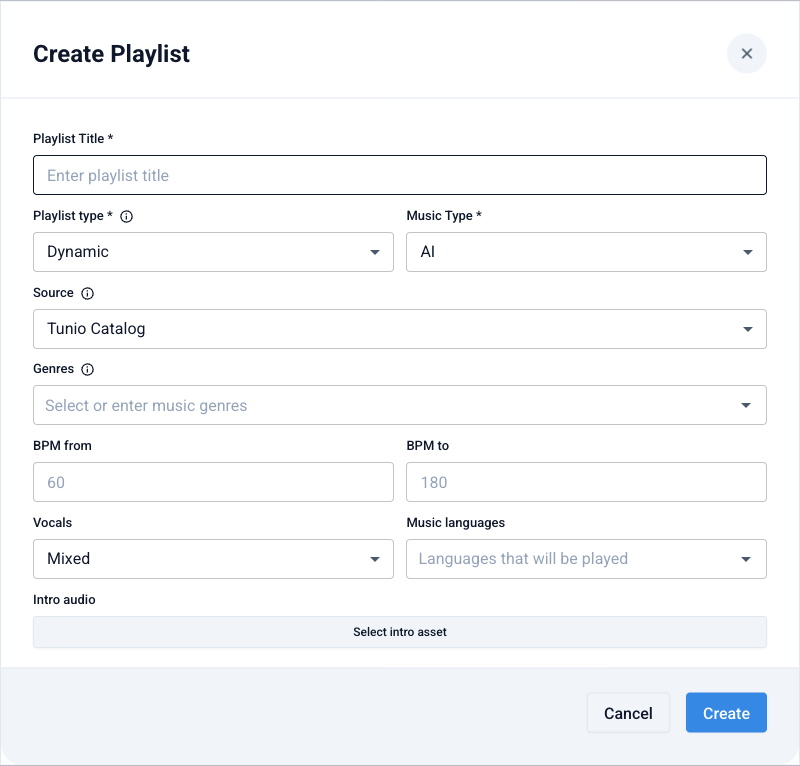
Available filters:
- Source — the Tunio catalog or your collection of uploaded tracks.
- Genres — one or several music genres.
- BPM from / to — a tempo range (for calm background or an energetic air).
- Vocals — mixed, vocal only, or instrumental only.
- Music languages — the languages the artists sing in.
A dynamic playlist is the default choice for most cases: set your venue's style once, and the air stays varied on its own, without repeating.
Static playlist
It's a fixed list you assemble manually, preserving the order. It can include not only music tracks but also other content — jingles, announcements, podcasts, weather forecasts.
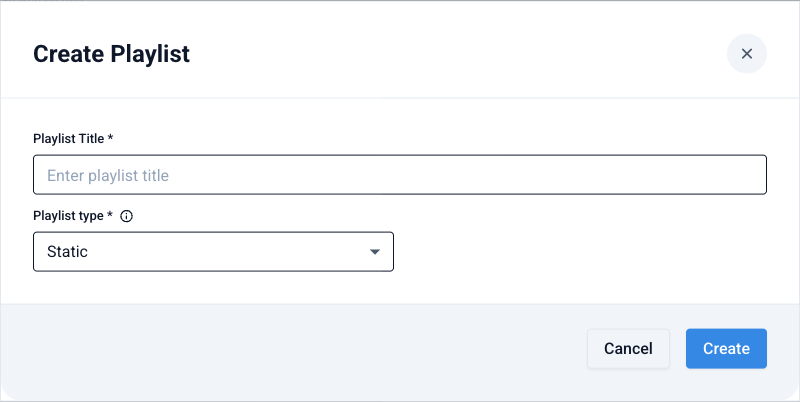
When creating a static playlist no filters are needed — after creation you open it and add content in the order you want. Everything plays strictly by the set scenario.
A static playlist is handy when the exact order matters: a morning program, a promo scenario for a specific hour, or a selection where music alternates with announcements and podcasts.
What to choose
- You need background music in your venue's style that doesn't get old → dynamic.
- You need a precise scenario with specific tracks and inserts in a set order → static.
Both types are added to the stream schedule the same way — the difference is only in how their content is gathered.
Create a playlist